FlexAID
Settings
FlexAID (https://pubs.acs.org/doi/10.1021/acs.jcim.5b00078) is a docking algorithm that can dock small molecules and peptides to targets such as proteins or nucleic acids.
Note
To run FlexAID, the ligand, the target, and the target cleft (see GetCleft) must be loaded into PyMOL beforehand.
Click on the ‘FlexAID’ button in the main menu on the left side of the plugin interface.
In the ‘Settings’ tab, set the ‘Number of Generations’ and ‘Number of Chromosomes’ for the FlexAID genetic algorithm.
Note
We recommend increasing the ‘Number of Generations’ and ‘Number of Chromosomes’ from the default 500/500 to 1000/1000 or even 2000/2000 (this may take more than 30 minutes on certain laptops) for large binding pockets and large flexible ligands.
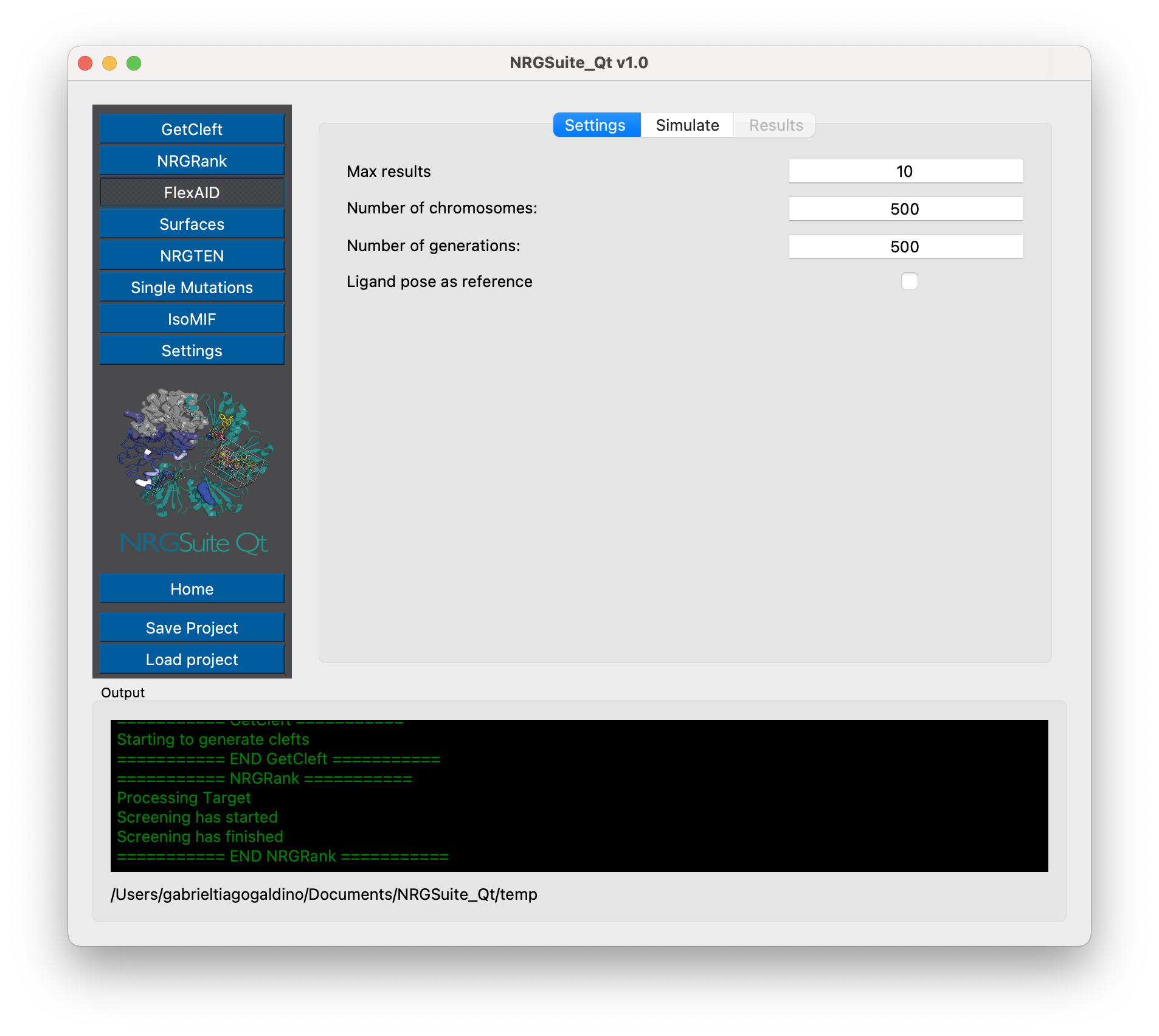
Mark the “Ligand pose as reference” box to calculate the RMSD between FlexAID results and the original ligand pose.
Simulate
In the ‘Simulate’ tab, press the ‘Refresh’ button for the target and ligand.
By default the list of binding sites loaded in PyMOL in the group “GetCleft” in the sub group with same name as the target will show up (see GetCleft outputs).
Note
In order to allow custom binding sites loaded in PyMOL outside the group generated by “GetCleft”, mark “Show all binging sites” in the settings menu Settings.
The white box will display the path to the results folder once the simulation is complete.

Press the ‘Start’ button to begin the simulation, and the ‘Results’ tab will open automatically.
The ‘Progress Bar’ will indicate how many generations have passed in the genetic algorithm. The ‘Pause’ button can be used to temporarily stop a simulation and resume it later without closing the plugin interface. The ‘Stop’ button will halt the simulation and save the results as they are for the current generation. The ‘Abort’ button will stop the simulation without saving any results.
Results are shown for the top 10 poses. The ‘CF’ column indicates the scoring for each pose (a more negative CF indicates a better score) and column “Last RMSD” shows the RMSD to the original ligand pose.

The top 10 results are loaded into the PyMOL interface and updated in real-time during the simulation.