Single Mutations
The Single Mutations functionality (SMF) is used to create single mutants using Modeller, implemented using their mutate model script (for more information, see: https://salilab.org/modeller/wiki/Mutate_model).
Note
If Modeller is not properly installed, the “Single Mutations” button in the main menu will not be available. See Prerequisites to learn how to properly install PyMOL and Modeller via Anaconda.
To use SMF, a selection containing the residue(s) to mutate must be previously defined in PyMOL. Press “Refresh” in the “Load” section and select the object containing the protein of interest in the “Object to Mutate” list. Choose the selection containing the residues to mutate in the “Selected Residue(s)” list. Select the residues to which to mutate in the “Single Mutations” section (pressing the “All” button will select/unselect all residues). Press “Mutate”.
Note
Even though more than one residue can be included in the “Selected Residue(s)” selection, it is important to note that only single mutants will be generated per run of the SMF. To perform multiple mutations on the same structure, it is necessary to rerun the single mutations functionality multiple times, adding a single substitution at each time.
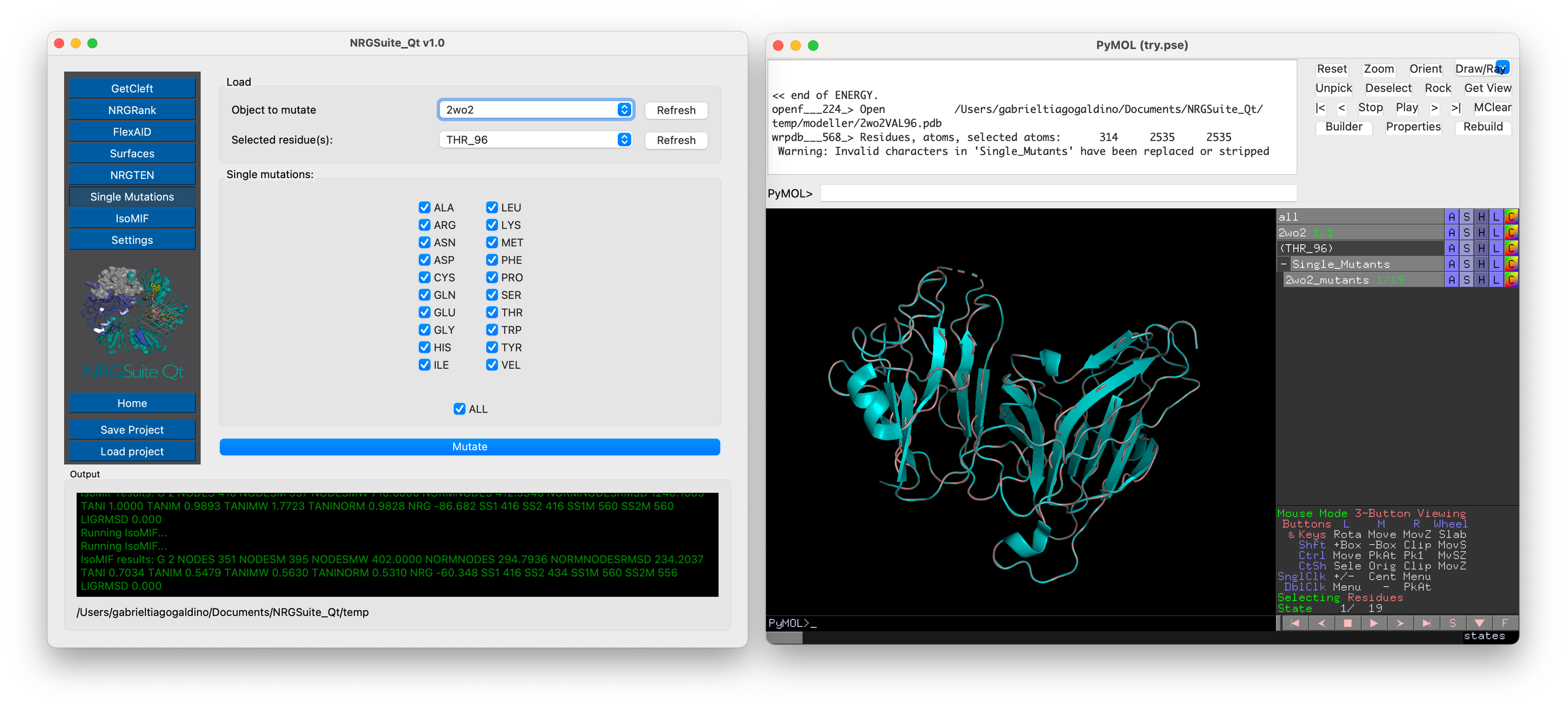
The result of SMF is a multi-state object containing all the mutants selected (one mutant per state) in a group called “Single Mutants” in the PyMOL interface.